
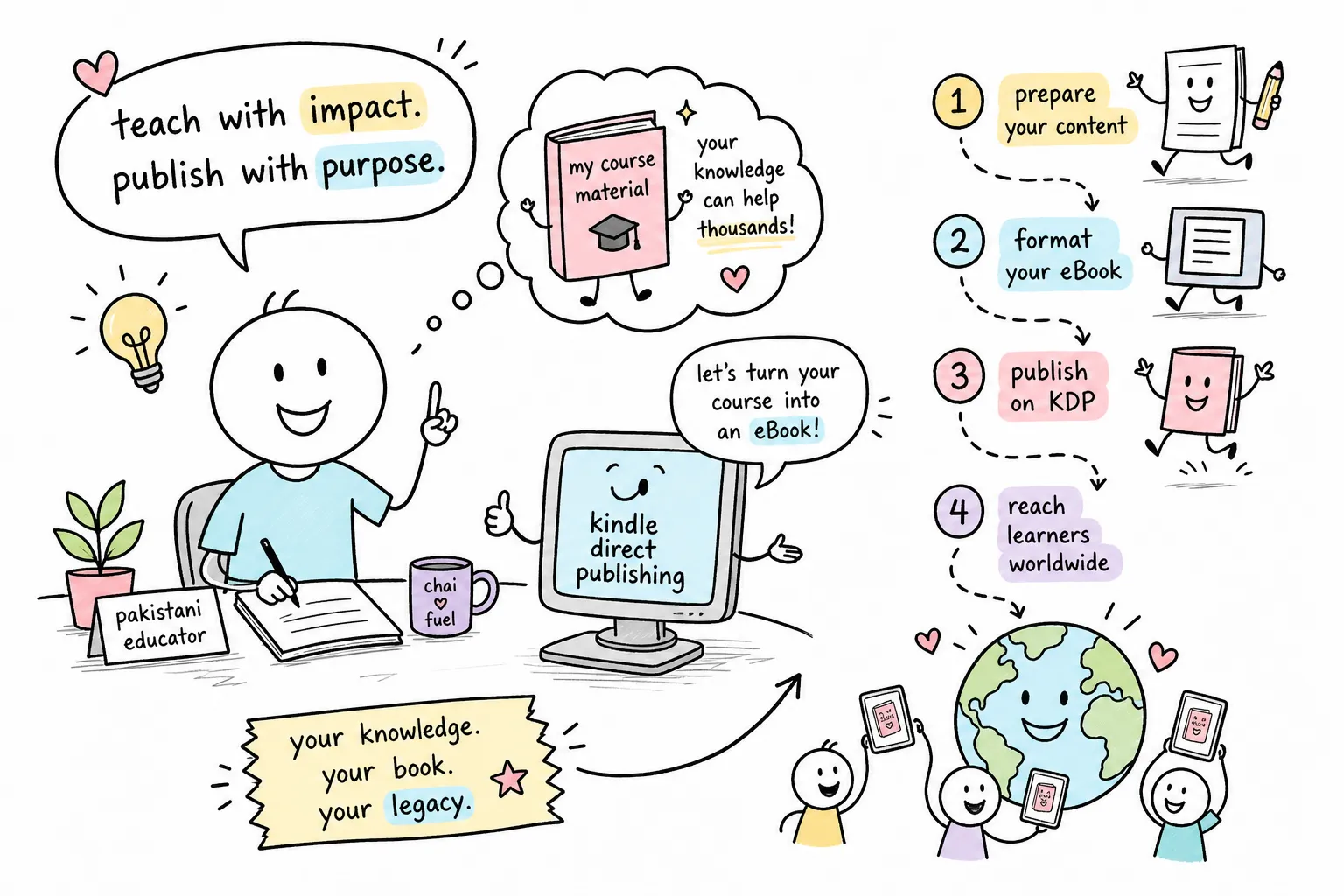
Imagine this: a Pakistani tutor with five years of meticulously prepared lesson notes, course handouts and tutorial guides sitting in a folder on their desktop. Hundreds of hours of work, earning absolutely nothing. Many educators in Pakistan find themselves in exactly this position, and Amazon Kindle Direct Publishing is the most practical way out of it. The platform lets you upload your content, set your price, and sell to readers across the world, with no upfront cost and no print run to fund.
Sohaib Tutorials is an online educational platform accessible at sohaibtutorials.com. By the end of this guide, you will know every step.
Setting up your Amazon Kindle Direct Publishing account from Pakistan
The first question most Pakistani educators ask is whether they can actually receive money from Amazon. The short answer is yes, and the process is straightforward once you know what is required.
Creating your account and completing your author profile
Go to kdp.amazon.com and sign in with an existing Amazon account or create a new one. Under Author/Publisher Information, select Individual and enter your legal name exactly as it appears on your bank records and tax documents. A pen name can cause payment delays, so use your legal name in this field. Enter a valid Pakistani residential address and phone number.
Linking a Pakistani bank account
Navigate to the Getting Paid section and add your Pakistani bank account. You will need your bank’s SWIFT/BIC code and confirmation that the account can receive international wire payments. The account-holder name must match your KDP legal name precisely. If KDP rejects the details, contact your bank to verify the SWIFT code and confirm international wire capability before attempting again.
Completing the W-8BEN tax interview
Navigate to Your Account > Tax Information and select Complete Tax Profile. Choose that you are not a U.S. citizen or resident, select Individual, and complete the W-8BEN questionnaire. When prompted for a tax identification number, enter your Pakistani National Tax Number (NTN). This step has a direct financial impact: the United States and Pakistan have an income tax treaty that reduces the default 30% U.S. withholding rate on qualifying copyright royalties to 0% for eligible Pakistani authors, according to KDP’s tax withholding documentation. You cannot claim that treaty benefit without supplying a valid NTN. The tax profile status must show Complete before KDP will publish your book or release any payments.
Converting your course notes into a Kindle-ready file
This is where most educators stall. The content exists; the question is which format to use and how to prepare it correctly.
Which file format to choose: EPUB, DOCX or KPF
KDP accepts several manuscript formats. A DOCX file is the simplest starting point for a straightforward lesson guide, and most educators already have their notes in Word. A reflowable EPUB gives you more control over the final output and is the preferred format for professional results. A KPF file, generated by the free Kindle Create software, is KDP’s own recommendation: it produces clean chapter navigation and a working table of contents automatically. For a first publication, start with DOCX and graduate to KPF once you want more polished navigation.
Formatting rules that trip up first-time publishers
Reflowable eBooks follow different rules from print documents. Remove all manual spacing, tabs, and text boxes. Do not include headers, footers, or fixed page numbers. Use heading styles for all chapter titles so that Kindle Create or the KDP converter can build a working table of contents from them. Embed images at a minimum of 300 DPI. Once the file is ready, run it through the free Kindle Previewer tool before uploading; it simulates how the book will appear across different device sizes and catches layout problems before they become rejection reasons.
Cover design and metadata that get your book noticed
A correctly formatted manuscript with a poor cover and vague metadata will underperform. Both deserve careful attention.
Cover specs for Kindle and paperback
For a Kindle cover, use a JPEG file at 2,560 pixels high by 1,600 pixels wide, in RGB colour mode, at a minimum of 300 DPI, with a maximum file size of 50 MB. For a KDP paperback, the cover must be a single PDF containing the back cover, spine and front cover in one continuous spread. Add 0.125 inches of bleed on every outside edge, and keep all text at least 0.25 inches from the outside cover edge. The spine width depends on your page count and paper type, so use KDP’s free Cover Calculator to generate an exact template before you start designing. For educators without a design budget, KDP’s own Cover Creator tool handles dimensions automatically, and Canva’s free plan works well when you upload the KDP-generated template as a guide layer.
Writing a title, description and category that drive clicks
Your book description should address the reader’s problem directly, not simply summarise the contents. Choose two BISAC categories that reflect both the subject and the audience. Use the seven keyword fields to target the search terms Pakistani learners actually type into Amazon, such as “O Level physics notes” or “IELTS vocabulary Pakistan.” Metadata works around the clock without any additional effort on your part, so it is worth spending an hour getting it right at the start rather than revising it repeatedly later.
Pricing on Amazon Kindle Direct Publishing: royalties and the KDP Select decision
Understanding the royalty structure before you set a price saves you from locking into the wrong tier by accident.
35% vs. 70% royalty: how the numbers actually work
KDP offers two royalty options for eBooks. The 35% option pays 35% of the list price with no delivery fee deduction. The 70% option pays 70% of the list price, then deducts a per-megabyte delivery fee: on Amazon.com, that fee is US$0.15 per MB, according to KDP’s pricing page. The qualifying price range for the 70% option on Amazon.com is $2.99 to $9.99, as documented on KDP’s eBook pricing page.
For a lean, text-based tutorial guide, the delivery fee is typically small relative to the royalty uplift, though you should calculate it using your book’s actual file size, since KDP displays the per-MB rate during setup.
Should a Pakistani educator enrol in KDP Select?
KDP Select is a free programme that renews in 90-day terms. It gives enrolled eBooks access to Kindle+ page-read income from the monthly Global Fund, Kindle Countdown Deals, and the 70% royalty rate in Brazil, Japan, Mexico and India. The trade-off is 90-day digital exclusivity: during each term, the eBook cannot be sold or distributed through any other platform, including your own website. For an educator who also wants to sell through other channels, that exclusivity is a real cost. The practical approach is to test one 90-day term to measure Kindle+ reads before making a long-term commitment.
ISBN and distribution: how far can your book reach?
The ISBN decision is permanent for each edition, so it is worth understanding the difference before you publish.
Free KDP ISBN vs. purchasing your own
The free KDP ISBN registers the imprint as “Independently published” and can only be used for KDP distribution. A purchased ISBN, obtained from your national ISBN agency, lets you use the same edition across multiple publishing services and displays your own imprint name. For educators who plan to distribute solely through Amazon, the free ISBN is completely sufficient. If you want portability across distributors or a consistent ISBN record, purchase your own.
Expanded Distribution and global reach
Expanded Distribution for paperbacks is free to enrol and makes your book discoverable to distributors serving booksellers and libraries, currently through distributors in the United States and United Kingdom. The royalty for Expanded Distribution is 40% of the applicable list price minus printing costs, according to KDP’s print book pricing page. Enrolment does not guarantee that a bookstore or library will stock the book; it simply makes the book available to order. The ISBN you use must not already be registered for distribution through another service.
Pre-publish checklist and mistakes first-timers make
Running through a checklist before you click Publish prevents the most common delays.
The launch checklist before you hit “Publish”
- Manuscript previewed in Kindle Previewer with no layout errors
- Paperback interior checked in KDP Print Previewer
- Kindle cover is JPEG, 2,560 × 1,600 px, RGB, 300 DPI minimum
- Paperback cover is a single PDF with 0.125 in bleed and correct dimensions
- Tax profile status showsComplete
- Bank account verified and account-holder name matches KDP profile
- Pricing set for all relevant marketplaces, including Amazon.in
- Distribution rights confirmed as worldwide (if applicable)
- Book description and metadata proofread
Common pitfalls that delay publication
The errors that cause the most problems are consistent across first-time publishers. Uploading a PDF as a reflowable eBook is one of the most frequent: PDFs retain fixed positioning that makes the text unreadable on a Kindle screen. Setting a list price below $2.99 locks you into the 35% royalty tier on Amazon.com, note that price thresholds and eligibility conditions for the 70% option vary by marketplace, so check KDP’s eBook list-price requirements for each store. A mismatched legal name between the KDP profile and bank account blocks payment verification. Leaving the tax interview incomplete is the most costly mistake: KDP holds royalty payments until tax verification is fully resolved, and the clock does not start until you fix it. Allow at least one week between submission and a planned launch date; KDP’s review timeline runs up to 72 business hours for a standard eBook.
From folder to live listing: the path is clear
The route from unpublished course notes to a live Amazon listing covers five distinct steps: a correctly completed KDP account with bank details and a verified tax profile; a manuscript formatted in DOCX, EPUB or KPF; a spec-compliant cover; a royalty tier chosen with the price range in mind; and a pre-publish checklist run before submission. None of these steps is complicated once you know exactly what each one requires.
By following these steps, Pakistani educators can confidently publish on Amazon Kindle Direct Publishing and reach learners far beyond the classroom.